{% columns %}
{% column %}
### Get started in 5 minutes
Setting up your first API call should be the easiest part of getting started. With clear endpoints, copy-paste-ready examples, and quick authentication, you’ll be up and running in minutes—not hours.
No guesswork, no complexity—just your first successful call, fast.
Get startedAPI reference
{% endcolumn %}
{% column %}
{% code title="index.js" overflow="wrap" %}
```javascript
// Import the SDK
import ExampleAPI from "example-api";
// Initialize the client
const client = new ExampleAPI({ apiKey: "YOUR_API_KEY" });
// Send your first message
const response = await client.messages.send({
message: "Hello, world!"
});
```
{% endcode %}
{% endcolumn %}
{% endcolumns %}
{% columns %}
{% column %}
{% endcolumn %}
{% column %}
### Learn more about the developer platform
Read guides, watch tutorials, and learn more about working with the developer platform and integrating it with your own stack.
GuidesDocumentation
{% endcolumn %}
{% endcolumns %}
Join a community of over 3,000 developers
Join our Discord community or create your first PR in just a few steps.
:discord:
Discord community
Join our Discord community to post questions, get help, and share resources with over 3,000 like-minded developers.
# Page 1
hello
# QA
Learn more about documenting APIs in GitBook.
GitBook automatically generates pages and endpoints for your OpenAPI spec. Fully customizable and equipped with testing capabilities, your documentation has never been more powerful.
The API reference below is automatically generated from a demo OpenAPI spec in this space.
View OpenAPI spec
# Welcome to the GitBook Petstore API
This GitBook API documentation template serves as a starting point for creating clear, interactive, and user-friendly API documentation.
Use this template to explore best practices in structuring your docs, showcasing endpoints, and guiding users through your API. Everything here can be adapted to fit your own product.
#### How this demo works
This reference is automatically generated from an OpenAPI spec uploaded to this GitBook space. GitBook reads the spec and creates a page for each tag, with interactive endpoint blocks for every operation — no manual authoring required.
A few things worth noticing as you explore:
* **Page groups** — tags with no endpoints (like *Store* and *Pets*) become navigation sections automatically, keeping related endpoints grouped without any extra configuration.
* **Auto-split pages** — `##` headings inside `info.description` are automatically split into separate pages in the navigation, which is how this welcome section is structured.
* **Stability badges** — some endpoints are marked `experimental` or `beta` using the `x-stability` extension. You'll see these highlighted on the endpoint itself.
* **Deprecation warnings** — `GET /pets/{petId}` is marked deprecated with a sunset date, surfaced as a warning banner on that endpoint's page.
* **Code samples** — each endpoint includes hand-written examples in cURL, JavaScript, and Python via `x-codeSamples`, supplementing the auto-generated snippets.
* **Try it panel** — most endpoints have a live testing panel on the right. `GET /store/orders` has it disabled via `x-hideTryItPanel` to show that control is per-endpoint.
To use this template for your own API, replace the spec with your own OpenAPI file and adjust the `info.description` to match your product.
# Servers & Authentication
#### Servers
{% tabs %}
{% tab title="Production" %}
**Base URL** `https://petstore.example.com/v1`
{% endtab %}
{% tab title="Staging" %}
**Base URL** `https://staging.petstore.example.com/v1`
{% endtab %}
{% endtabs %}
{% hint style="info" %}
Both servers are available in the **Try it** panel on each endpoint page. Use the server switcher in the top-right of the panel to toggle between Production and Staging without leaving the docs.
{% endhint %}
#### Authentication
All requests must include your API key in the `Authorization` header:
```
Authorization: Bearer YOUR_API_KEY
```
{% hint style="info" %}
Generate an API key from your [account dashboard](https://petstore.example.com/dashboard/keys). Keys are scoped to a single workspace.
{% endhint %}
# Getting started
{% stepper %}
{% step %}
### Create an account
Sign up at [petstore.example.com](https://petstore.example.com) — it's free.
{% endstep %}
{% step %}
### Get your API key
Head to your dashboard and copy your key from the **API Keys** section.
{% endstep %}
{% step %}
### Make your first request
Call `GET /pets` to verify connectivity and see available pets.
{% endstep %}
{% endstepper %}
# Error responses
All errors follow a consistent structure:
```json
{
"error": {
"code": "not_found",
"message": "The requested resource could not be found.",
"status": 404
}
}
```
| Status | Meaning |
| ------ | ----------------------------------------- |
| `400` | Bad request — check your request body |
| `401` | Unauthorized — missing or invalid API key |
| `403` | Forbidden — insufficient permissions |
| `404` | Not found |
| `429` | Rate limited — back off and retry |
| `500` | Server error |
{% hint style="warning" %}
This API is for demo purposes only — **don't** use it in production.
{% endhint %}
# Store
# Orders
Place and manage customer orders.
## List orders
> Returns all orders placed in the store. Does not currently support filtering or pagination.\
> \
> {% hint style="info" %}\
> Filtering and pagination are planned for v2. Subscribe to the \[changelog]\() for updates.\
> {% endhint %}
```json
{"openapi":"3.0.3","info":{"title":"GitBook Petstore API","version":"1.0.0"},"tags":[{"name":"orders"}],"servers":[{"url":"https://petstore.example.com/v1","description":"Production"},{"url":"https://staging.petstore.example.com/v1","description":"Staging"}],"security":[{"bearerAuth":[]}],"components":{"securitySchemes":{"bearerAuth":{"type":"http","scheme":"bearer","description":"Pass your API key as a Bearer token in the `Authorization` header."}},"schemas":{"Order":{"type":"object","properties":{"id":{"type":"integer","format":"int64","description":"Unique order identifier."},"petId":{"type":"integer","format":"int64","description":"The ID of the animal in this order."},"quantity":{"type":"integer","description":"Number of units ordered."},"shipDate":{"type":"string","format":"date-time","description":"Expected or actual ship date in ISO 8601 format."},"complete":{"type":"boolean","description":"Whether the order has been fulfilled."}}},"Error":{"type":"object","required":["code","message","status"],"properties":{"code":{"type":"string","description":"A machine-readable error code."},"message":{"type":"string","description":"A human-readable description of the error."},"status":{"type":"integer","description":"The HTTP status code."}}}},"responses":{"Unauthorized":{"description":"Missing or invalid API key.","content":{"application/json":{"schema":{"$ref":"#/components/schemas/Error"}}}}}},"paths":{"/store/orders":{"get":{"summary":"List orders","description":"Returns all orders placed in the store. Does not currently support filtering or pagination.\n\n{% hint style=\"info\" %}\nFiltering and pagination are planned for v2. Subscribe to the [changelog](https://petstore.example.com/changelog) for updates.\n{% endhint %}\n","tags":["orders"],"operationId":"listOrders","responses":{"200":{"description":"An array of orders.","content":{"application/json":{"schema":{"type":"array","items":{"$ref":"#/components/schemas/Order"}}}}},"401":{"$ref":"#/components/responses/Unauthorized"}}}}}}
```
## Cancel an order
> Cancels an order by ID. Only orders with a status of \`pending\` can be cancelled — orders that have already shipped cannot be reversed.
```json
{"openapi":"3.0.3","info":{"title":"GitBook Petstore API","version":"1.0.0"},"tags":[{"name":"orders"}],"servers":[{"url":"https://petstore.example.com/v1","description":"Production"},{"url":"https://staging.petstore.example.com/v1","description":"Staging"}],"security":[{"bearerAuth":[]}],"components":{"securitySchemes":{"bearerAuth":{"type":"http","scheme":"bearer","description":"Pass your API key as a Bearer token in the `Authorization` header."}},"responses":{"Unauthorized":{"description":"Missing or invalid API key.","content":{"application/json":{"schema":{"$ref":"#/components/schemas/Error"}}}},"NotFound":{"description":"The requested resource could not be found.","content":{"application/json":{"schema":{"$ref":"#/components/schemas/Error"}}}}},"schemas":{"Error":{"type":"object","required":["code","message","status"],"properties":{"code":{"type":"string","description":"A machine-readable error code."},"message":{"type":"string","description":"A human-readable description of the error."},"status":{"type":"integer","description":"The HTTP status code."}}}}},"paths":{"/store/orders/{orderId}":{"delete":{"summary":"Cancel an order","description":"Cancels an order by ID. Only orders with a status of `pending` can be cancelled — orders that have already shipped cannot be reversed.","tags":["orders"],"operationId":"cancelOrder","parameters":[{"name":"orderId","in":"path","required":true,"description":"The ID of the order to cancel.","schema":{"type":"integer","format":"int64"}}],"responses":{"204":{"description":"Order cancelled successfully."},"401":{"$ref":"#/components/responses/Unauthorized"},"404":{"$ref":"#/components/responses/NotFound"},"409":{"description":"Order cannot be cancelled — it has already shipped."}}}}}}
```
# Inventory
Track and update stock levels for pets in the store.
## List inventory
> Returns current stock levels for all pets in the store.
```json
{"openapi":"3.0.3","info":{"title":"GitBook Petstore API","version":"1.0.0"},"tags":[{"name":"inventory"}],"servers":[{"url":"https://petstore.example.com/v1","description":"Production"},{"url":"https://staging.petstore.example.com/v1","description":"Staging"}],"security":[{"bearerAuth":[]}],"components":{"securitySchemes":{"bearerAuth":{"type":"http","scheme":"bearer","description":"Pass your API key as a Bearer token in the `Authorization` header."}},"schemas":{"InventoryItem":{"type":"object","required":["petId","quantity","status"],"properties":{"petId":{"type":"integer","format":"int64","description":"The ID of the animal this entry tracks."},"quantity":{"type":"integer","description":"Current stock count."},"status":{"$ref":"#/components/schemas/PetStatus"}}},"PetStatus":{"type":"string","enum":["available","pending","sold"]},"Error":{"type":"object","required":["code","message","status"],"properties":{"code":{"type":"string","description":"A machine-readable error code."},"message":{"type":"string","description":"A human-readable description of the error."},"status":{"type":"integer","description":"The HTTP status code."}}}},"responses":{"Unauthorized":{"description":"Missing or invalid API key.","content":{"application/json":{"schema":{"$ref":"#/components/schemas/Error"}}}}}},"paths":{"/inventory":{"get":{"summary":"List inventory","description":"Returns current stock levels for all pets in the store.","tags":["inventory"],"operationId":"listInventory","responses":{"200":{"description":"An array of inventory entries.","content":{"application/json":{"schema":{"type":"array","items":{"$ref":"#/components/schemas/InventoryItem"}}}}},"401":{"$ref":"#/components/responses/Unauthorized"}}}}}}
```
## Update stock level
> Updates the stock quantity for a specific pet. Use this to record new arrivals, returns, or manual adjustments.\
> \
> {% hint style="warning" %}\
> This endpoint is \*\*experimental\*\* — the request shape may change before it reaches stable.\
> {% endhint %}
```json
{"openapi":"3.0.3","info":{"title":"GitBook Petstore API","version":"1.0.0"},"tags":[{"name":"inventory"}],"servers":[{"url":"https://petstore.example.com/v1","description":"Production"},{"url":"https://staging.petstore.example.com/v1","description":"Staging"}],"security":[{"bearerAuth":[]}],"components":{"securitySchemes":{"bearerAuth":{"type":"http","scheme":"bearer","description":"Pass your API key as a Bearer token in the `Authorization` header."}},"schemas":{"InventoryUpdate":{"type":"object","required":["quantity"],"properties":{"quantity":{"type":"integer","description":"The new stock count."}}},"InventoryItem":{"type":"object","required":["petId","quantity","status"],"properties":{"petId":{"type":"integer","format":"int64","description":"The ID of the animal this entry tracks."},"quantity":{"type":"integer","description":"Current stock count."},"status":{"$ref":"#/components/schemas/PetStatus"}}},"PetStatus":{"type":"string","enum":["available","pending","sold"]},"Error":{"type":"object","required":["code","message","status"],"properties":{"code":{"type":"string","description":"A machine-readable error code."},"message":{"type":"string","description":"A human-readable description of the error."},"status":{"type":"integer","description":"The HTTP status code."}}}},"responses":{"BadRequest":{"description":"The request body is missing required fields or contains invalid values.","content":{"application/json":{"schema":{"$ref":"#/components/schemas/Error"}}}},"Unauthorized":{"description":"Missing or invalid API key.","content":{"application/json":{"schema":{"$ref":"#/components/schemas/Error"}}}},"NotFound":{"description":"The requested resource could not be found.","content":{"application/json":{"schema":{"$ref":"#/components/schemas/Error"}}}}}},"paths":{"/inventory/{petId}":{"patch":{"summary":"Update stock level","description":"Updates the stock quantity for a specific pet. Use this to record new arrivals, returns, or manual adjustments.\n\n{% hint style=\"warning\" %}\nThis endpoint is **experimental** — the request shape may change before it reaches stable.\n{% endhint %}\n","tags":["inventory"],"operationId":"updateInventory","parameters":[{"name":"petId","in":"path","required":true,"description":"The ID of the pet to update stock for.","schema":{"type":"integer","format":"int64"}}],"requestBody":{"required":true,"content":{"application/json":{"schema":{"$ref":"#/components/schemas/InventoryUpdate"}}}},"responses":{"200":{"description":"Updated inventory entry.","content":{"application/json":{"schema":{"$ref":"#/components/schemas/InventoryItem"}}}},"400":{"$ref":"#/components/responses/BadRequest"},"401":{"$ref":"#/components/responses/Unauthorized"},"404":{"$ref":"#/components/responses/NotFound"}}}}}}
```
# Pets
# Animals
Browse and manage individual animals available for adoption.
## List all animals
> Returns a paginated list of all animals in the store. Use \`limit\` to control page size and \`status\` to filter by availability.
```json
{"openapi":"3.0.3","info":{"title":"GitBook Petstore API","version":"1.0.0"},"tags":[{"name":"animals"}],"servers":[{"url":"https://petstore.example.com/v1","description":"Production"},{"url":"https://staging.petstore.example.com/v1","description":"Staging"}],"security":[{"bearerAuth":[]}],"components":{"securitySchemes":{"bearerAuth":{"type":"http","scheme":"bearer","description":"Pass your API key as a Bearer token in the `Authorization` header."}},"schemas":{"PetStatus":{"type":"string","enum":["available","pending","sold"]},"Pets":{"type":"array","items":{"$ref":"#/components/schemas/Pet"}},"Pet":{"allOf":[{"$ref":"#/components/schemas/NewPet"},{"type":"object","required":["id"],"properties":{"id":{"type":"integer","format":"int64","description":"Unique identifier assigned on creation."}}}]},"NewPet":{"type":"object","required":["name","categoryId"],"properties":{"name":{"type":"string","description":"The animal's name."},"categoryId":{"type":"integer","format":"int64","description":"The ID of the category this animal belongs to."},"status":{"$ref":"#/components/schemas/PetStatus"}}},"Error":{"type":"object","required":["code","message","status"],"properties":{"code":{"type":"string","description":"A machine-readable error code."},"message":{"type":"string","description":"A human-readable description of the error."},"status":{"type":"integer","description":"The HTTP status code."}}}},"responses":{"Unauthorized":{"description":"Missing or invalid API key.","content":{"application/json":{"schema":{"$ref":"#/components/schemas/Error"}}}}}},"paths":{"/pets":{"get":{"summary":"List all animals","description":"Returns a paginated list of all animals in the store. Use `limit` to control page size and `status` to filter by availability.","tags":["animals"],"operationId":"listPets","parameters":[{"name":"limit","in":"query","description":"Maximum number of animals to return. Defaults to 20, max 100.","schema":{"type":"integer","minimum":1,"maximum":100,"default":20}},{"name":"status","in":"query","description":"Filter by availability status.","schema":{"$ref":"#/components/schemas/PetStatus"}}],"responses":{"200":{"description":"A paginated list of animals.","content":{"application/json":{"schema":{"$ref":"#/components/schemas/Pets"}}}},"401":{"$ref":"#/components/responses/Unauthorized"}}}}}}
```
## Add an animal
> Adds a new animal to the store. The \`name\` and \`categoryId\` fields are required.
```json
{"openapi":"3.0.3","info":{"title":"GitBook Petstore API","version":"1.0.0"},"tags":[{"name":"animals"}],"servers":[{"url":"https://petstore.example.com/v1","description":"Production"},{"url":"https://staging.petstore.example.com/v1","description":"Staging"}],"security":[{"bearerAuth":[]}],"components":{"securitySchemes":{"bearerAuth":{"type":"http","scheme":"bearer","description":"Pass your API key as a Bearer token in the `Authorization` header."}},"schemas":{"NewPet":{"type":"object","required":["name","categoryId"],"properties":{"name":{"type":"string","description":"The animal's name."},"categoryId":{"type":"integer","format":"int64","description":"The ID of the category this animal belongs to."},"status":{"$ref":"#/components/schemas/PetStatus"}}},"PetStatus":{"type":"string","enum":["available","pending","sold"]},"Pet":{"allOf":[{"$ref":"#/components/schemas/NewPet"},{"type":"object","required":["id"],"properties":{"id":{"type":"integer","format":"int64","description":"Unique identifier assigned on creation."}}}]},"Error":{"type":"object","required":["code","message","status"],"properties":{"code":{"type":"string","description":"A machine-readable error code."},"message":{"type":"string","description":"A human-readable description of the error."},"status":{"type":"integer","description":"The HTTP status code."}}}},"responses":{"BadRequest":{"description":"The request body is missing required fields or contains invalid values.","content":{"application/json":{"schema":{"$ref":"#/components/schemas/Error"}}}},"Unauthorized":{"description":"Missing or invalid API key.","content":{"application/json":{"schema":{"$ref":"#/components/schemas/Error"}}}}}},"paths":{"/pets":{"post":{"summary":"Add an animal","description":"Adds a new animal to the store. The `name` and `categoryId` fields are required.","tags":["animals"],"operationId":"createPet","requestBody":{"required":true,"content":{"application/json":{"schema":{"$ref":"#/components/schemas/NewPet"}}}},"responses":{"201":{"description":"Animal added successfully.","content":{"application/json":{"schema":{"$ref":"#/components/schemas/Pet"}}}},"400":{"$ref":"#/components/responses/BadRequest"},"401":{"$ref":"#/components/responses/Unauthorized"}}}}}}
```
## Get an animal
> Returns details for a single animal by ID.\
> \
> {% hint style="danger" %}\
> \*\*This endpoint is deprecated\*\* and will be removed on \*\*5 December 2030\*\*. Use \`GET /pets\` with a \`status\` filter instead.\
> {% endhint %}
```json
{"openapi":"3.0.3","info":{"title":"GitBook Petstore API","version":"1.0.0"},"tags":[{"name":"animals"}],"servers":[{"url":"https://petstore.example.com/v1","description":"Production"},{"url":"https://staging.petstore.example.com/v1","description":"Staging"}],"security":[{"bearerAuth":[]}],"components":{"securitySchemes":{"bearerAuth":{"type":"http","scheme":"bearer","description":"Pass your API key as a Bearer token in the `Authorization` header."}},"schemas":{"Pet":{"allOf":[{"$ref":"#/components/schemas/NewPet"},{"type":"object","required":["id"],"properties":{"id":{"type":"integer","format":"int64","description":"Unique identifier assigned on creation."}}}]},"NewPet":{"type":"object","required":["name","categoryId"],"properties":{"name":{"type":"string","description":"The animal's name."},"categoryId":{"type":"integer","format":"int64","description":"The ID of the category this animal belongs to."},"status":{"$ref":"#/components/schemas/PetStatus"}}},"PetStatus":{"type":"string","enum":["available","pending","sold"]},"Error":{"type":"object","required":["code","message","status"],"properties":{"code":{"type":"string","description":"A machine-readable error code."},"message":{"type":"string","description":"A human-readable description of the error."},"status":{"type":"integer","description":"The HTTP status code."}}}},"responses":{"Unauthorized":{"description":"Missing or invalid API key.","content":{"application/json":{"schema":{"$ref":"#/components/schemas/Error"}}}},"NotFound":{"description":"The requested resource could not be found.","content":{"application/json":{"schema":{"$ref":"#/components/schemas/Error"}}}}}},"paths":{"/pets/{petId}":{"get":{"summary":"Get an animal","description":"Returns details for a single animal by ID.\n\n{% hint style=\"danger\" %}\n**This endpoint is deprecated** and will be removed on **5 December 2030**. Use `GET /pets` with a `status` filter instead.\n{% endhint %}\n","tags":["animals"],"operationId":"getPet","parameters":[{"name":"petId","in":"path","required":true,"description":"The ID of the animal to retrieve.","schema":{"type":"integer","format":"int64"}}],"responses":{"200":{"description":"The requested animal.","content":{"application/json":{"schema":{"$ref":"#/components/schemas/Pet"}}}},"401":{"$ref":"#/components/responses/Unauthorized"},"404":{"$ref":"#/components/responses/NotFound"}},"deprecated":true}}}}
```
# Categories
Manage the species and breed categories used to classify pets.
## List categories
> Returns all categories available for classifying pets (e.g. dog, cat, rabbit).
```json
{"openapi":"3.0.3","info":{"title":"GitBook Petstore API","version":"1.0.0"},"tags":[{"name":"categories"}],"servers":[{"url":"https://petstore.example.com/v1","description":"Production"},{"url":"https://staging.petstore.example.com/v1","description":"Staging"}],"security":[{"bearerAuth":[]}],"components":{"securitySchemes":{"bearerAuth":{"type":"http","scheme":"bearer","description":"Pass your API key as a Bearer token in the `Authorization` header."}},"schemas":{"Category":{"allOf":[{"$ref":"#/components/schemas/NewCategory"},{"type":"object","required":["id"],"properties":{"id":{"type":"integer","format":"int64","description":"Unique identifier assigned on creation."}}}]},"NewCategory":{"type":"object","required":["name"],"properties":{"name":{"type":"string","description":"The category name (e.g. Dog, Cat, Rabbit)."},"description":{"type":"string","description":"A short description of the category."}}},"Error":{"type":"object","required":["code","message","status"],"properties":{"code":{"type":"string","description":"A machine-readable error code."},"message":{"type":"string","description":"A human-readable description of the error."},"status":{"type":"integer","description":"The HTTP status code."}}}},"responses":{"Unauthorized":{"description":"Missing or invalid API key.","content":{"application/json":{"schema":{"$ref":"#/components/schemas/Error"}}}}}},"paths":{"/categories":{"get":{"summary":"List categories","description":"Returns all categories available for classifying pets (e.g. dog, cat, rabbit).","tags":["categories"],"operationId":"listCategories","responses":{"200":{"description":"An array of categories.","content":{"application/json":{"schema":{"type":"array","items":{"$ref":"#/components/schemas/Category"}}}}},"401":{"$ref":"#/components/responses/Unauthorized"}}}}}}
```
## Create a category
> Adds a new category for classifying pets.
```json
{"openapi":"3.0.3","info":{"title":"GitBook Petstore API","version":"1.0.0"},"tags":[{"name":"categories"}],"servers":[{"url":"https://petstore.example.com/v1","description":"Production"},{"url":"https://staging.petstore.example.com/v1","description":"Staging"}],"security":[{"bearerAuth":[]}],"components":{"securitySchemes":{"bearerAuth":{"type":"http","scheme":"bearer","description":"Pass your API key as a Bearer token in the `Authorization` header."}},"schemas":{"NewCategory":{"type":"object","required":["name"],"properties":{"name":{"type":"string","description":"The category name (e.g. Dog, Cat, Rabbit)."},"description":{"type":"string","description":"A short description of the category."}}},"Category":{"allOf":[{"$ref":"#/components/schemas/NewCategory"},{"type":"object","required":["id"],"properties":{"id":{"type":"integer","format":"int64","description":"Unique identifier assigned on creation."}}}]},"Error":{"type":"object","required":["code","message","status"],"properties":{"code":{"type":"string","description":"A machine-readable error code."},"message":{"type":"string","description":"A human-readable description of the error."},"status":{"type":"integer","description":"The HTTP status code."}}}},"responses":{"BadRequest":{"description":"The request body is missing required fields or contains invalid values.","content":{"application/json":{"schema":{"$ref":"#/components/schemas/Error"}}}},"Unauthorized":{"description":"Missing or invalid API key.","content":{"application/json":{"schema":{"$ref":"#/components/schemas/Error"}}}}}},"paths":{"/categories":{"post":{"summary":"Create a category","description":"Adds a new category for classifying pets.","tags":["categories"],"operationId":"createCategory","requestBody":{"required":true,"content":{"application/json":{"schema":{"$ref":"#/components/schemas/NewCategory"}}}},"responses":{"201":{"description":"Category created successfully.","content":{"application/json":{"schema":{"$ref":"#/components/schemas/Category"}}}},"400":{"$ref":"#/components/responses/BadRequest"},"401":{"$ref":"#/components/responses/Unauthorized"}}}}}}
```
# Welcome
Welcome to the GitBook starter template! Here you'll get an overview of all the amazing features GitBook offers to help you build beautiful, interactive documentation.
You'll see some of the best parts of GitBook in action — and find help on how you can turn this template into your own.
### Jump right in
# Quickstart
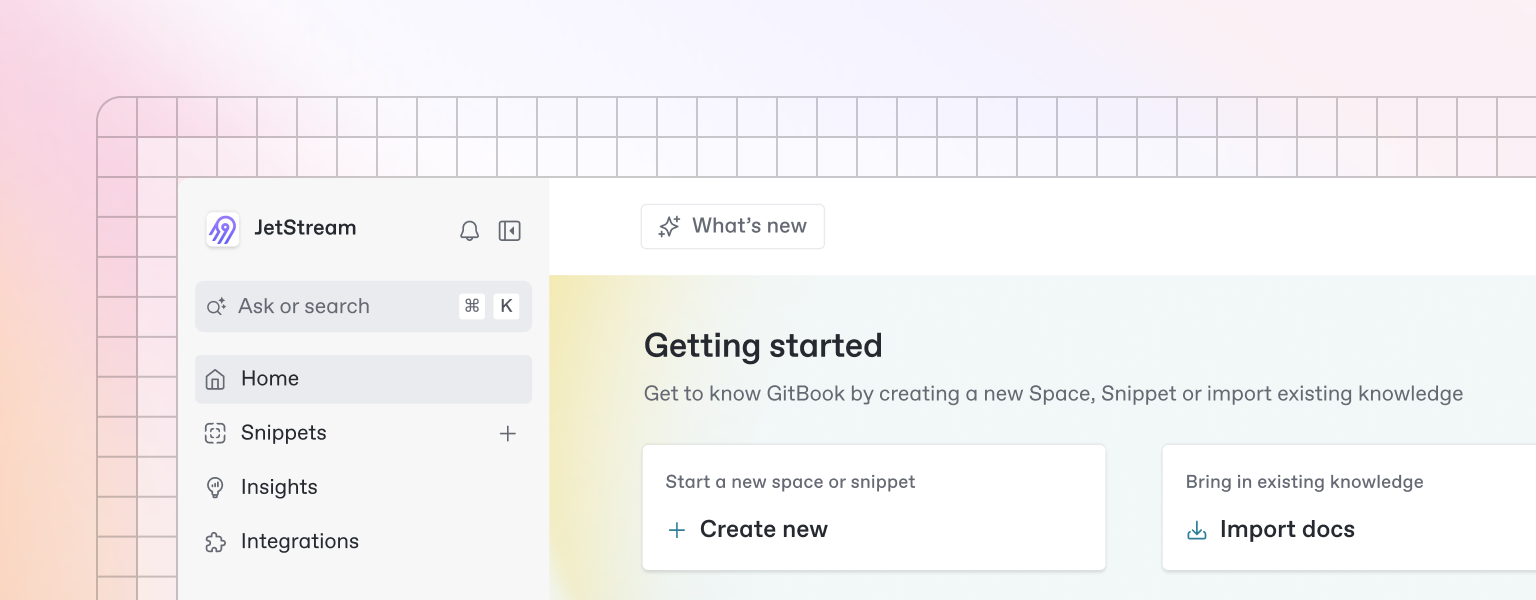
Beautiful documentation starts with the content you create — and GitBook makes it easy to get started with any pre-existing content.
{% hint style="info" %}
Want to learn about writing content from scratch? Head to the [Basics](/lovandu-docs/reference/basics/editor) section to learn more.
{% endhint %}
### Import
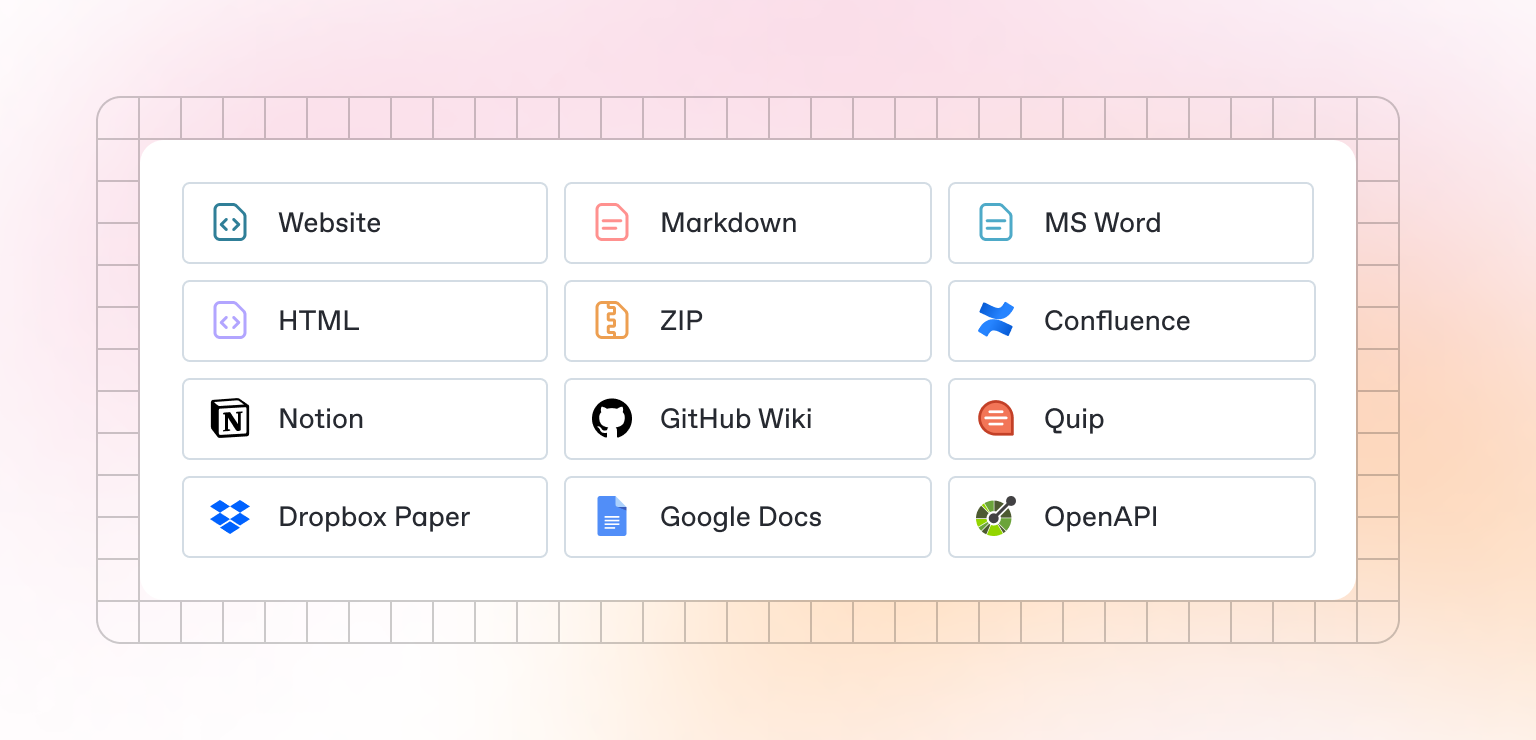
GitBook supports importing content from many popular writing tools and formats. If your content already exists, you can upload a file or group of files to be imported.
### Sync a repository
GitBook also allows you to set up a bi-directional sync with an existing repository on GitHub or GitLab. Setting up Git Sync allows you and your team to write content in GitBook or in code, and never have to worry about your content becoming out of sync.
# Publish your docs
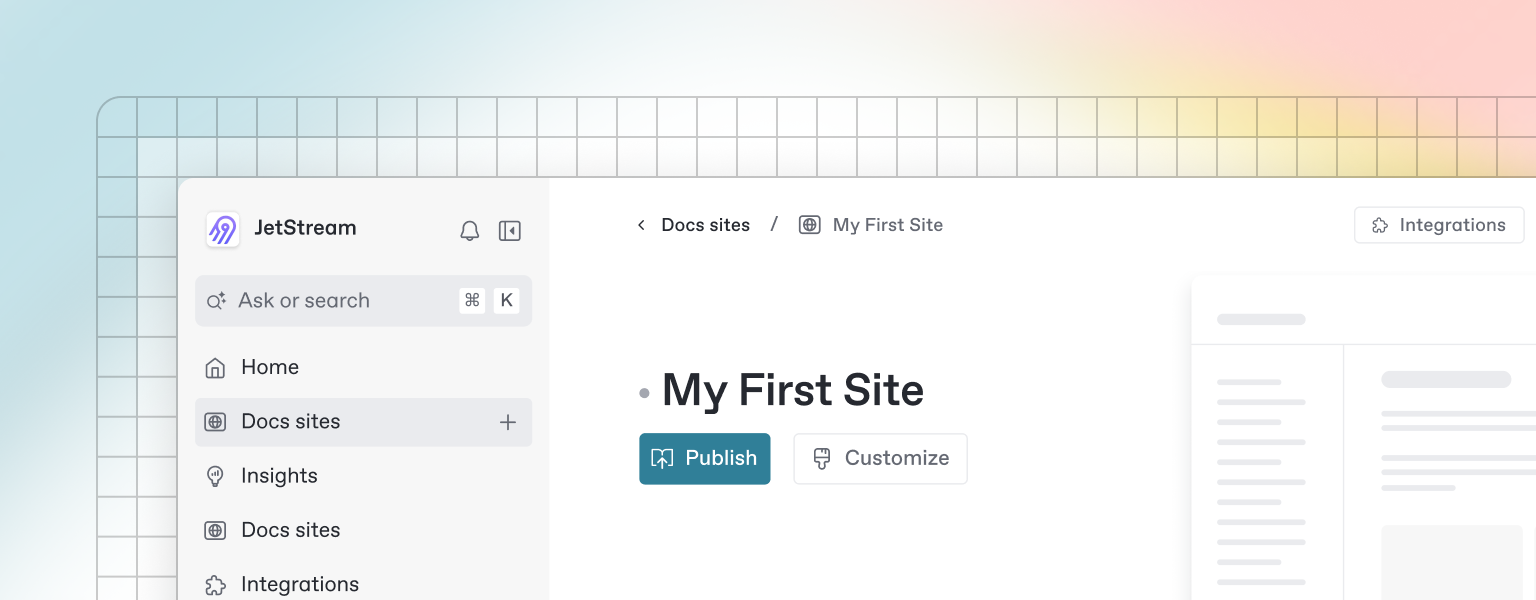
Once you’ve finished writing, editing, or importing your content, you can publish your work to the web as a docs site. Once published, your site will be accessible online only to your selected audience.
You can publish your site and find related settings from your docs site's homepage.
# Editor
GitBook has a powerful block-based editor that allows you to seamlessly create, update, and enhance your content.
### Writing content
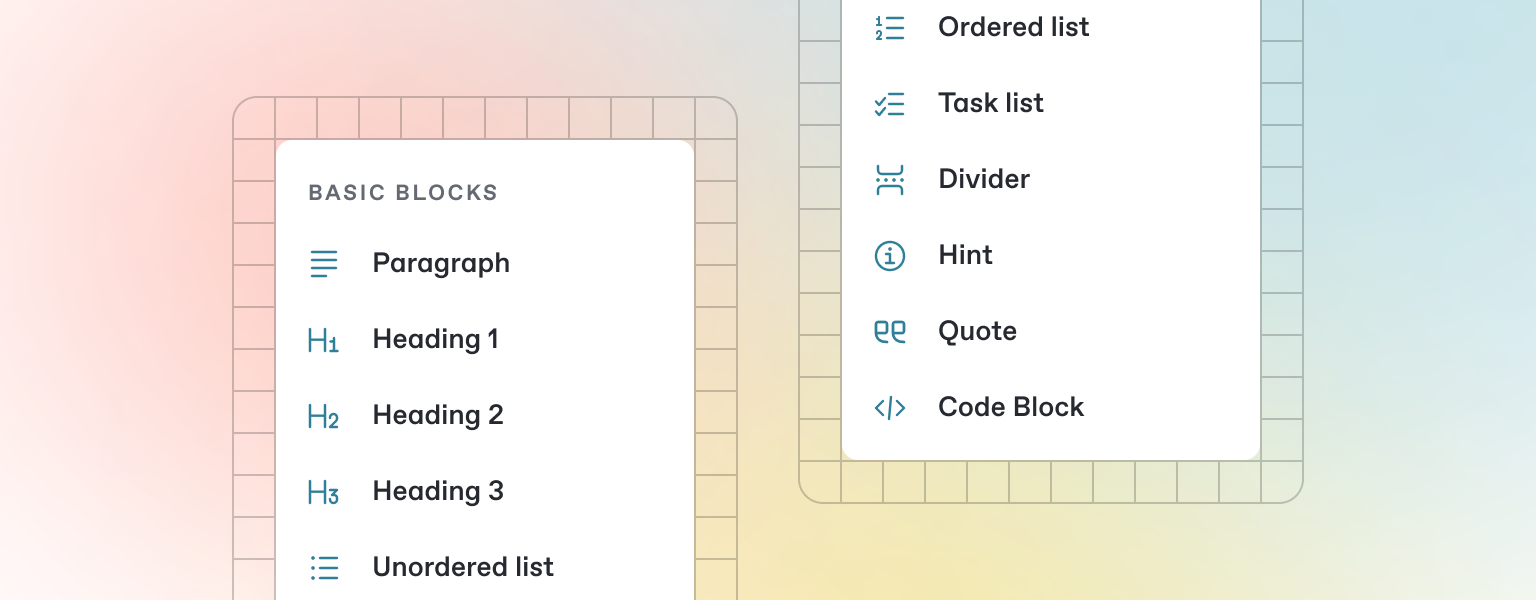
GitBook offers a range of block types for you to add to your content inline — from simple text and tables, to code blocks and more. These elements will make your pages more useful to readers, and offer extra information and context.
Either start typing below, or press `/` to see a list of the blocks you can insert into your page.
### Add a new block
{% stepper %}
{% step %}
#### Open the insert block menu
Press `/` on your keyboard to open the insert block menu.
{% endstep %}
{% step %}
#### Search for the block you need
Try searching for “Stepper”, for exampe, to insert the stepper block.
{% endstep %}
{% step %}
#### Insert and edit your block
Click or press Enter to insert your block. From here, you’ll be able to edit it as needed.
{% endstep %}
{% endstepper %}
# Markdown
GitBook supports many different types of content, and is backed by Markdown — meaning you can copy and paste any existing Markdown files directly into the editor!
Feel free to test it out and copy the Markdown below by hovering over the code block in the upper right, and pasting into a new line underneath.
```markdown
# Heading
This is some paragraph text, with a [link](https://docs.gitbook.com) to our docs.
## Heading 2
- Point 1
- Point 2
- Point 3
```
{% hint style="info" %}
If you have multiple files, GitBook makes it easy to import full repositories too — allowing you to keep your GitBook content in sync.
{% endhint %}
# Images & media
GitBook allows you to add images and media easily to your docs. Simply drag a file into the editor, or use the file manager in the upper right corner to upload multiple images at once.
Add alt text and captions to your images
{% hint style="info" %}
You can also add images simply by copying and pasting them directly into the editor — and GitBook will automatically add it to your file manager.
{% endhint %}
# Interactive blocks
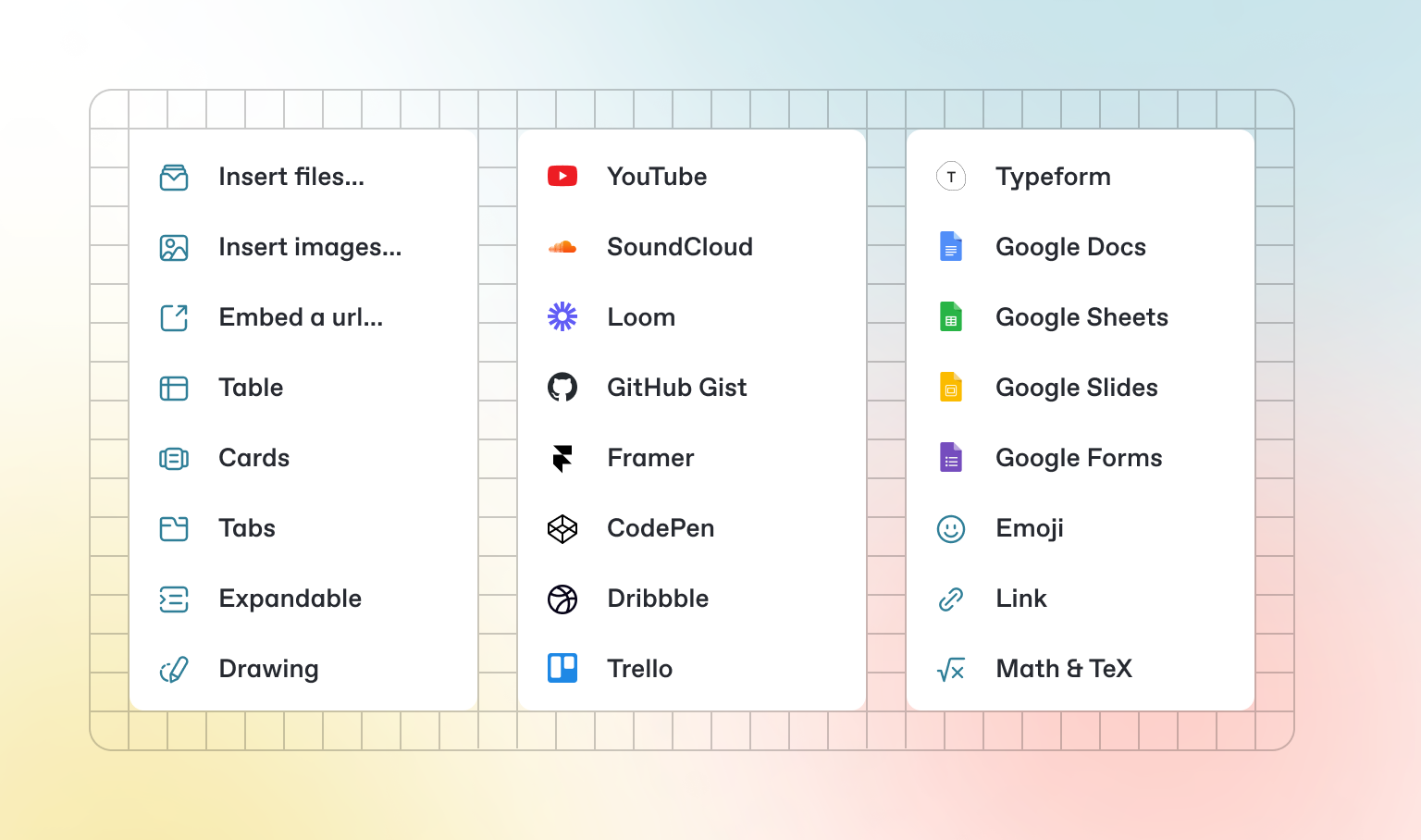
In addition to the default Markdown you can write, GitBook has a number of out-of-the-box interactive blocks you can use. You can find interactive blocks by pressing `/` from within the editor.
### Tabs
{% tabs %}
{% tab title="First tab" %}
Each tab is like a mini page — it can contain multiple other blocks, of any type. So you can add code blocks, images, integration blocks and more to individual tabs in the same tab block.
{% endtab %}
{% tab title="Second tab" %}
Add images, embedded content, code blocks, and more.
```javascript
const handleFetchEvent = async (request, context) => {
return new Response({message: "Hello World"});
};
```
{% endtab %}
{% endtabs %}
### Expandable sections
Click me to expand
Expandable blocks are helpful in condensing what could otherwise be a lengthy paragraph. They are also great in step-by-step guides and FAQs.
### Embedded content
{% embed url="" %}
{% hint style="info" %}
GitBook supports thousands of embedded websites out-of-the-box, simply by pasting their links. Feel free to check out which ones[ are supported natively](https://iframely.com).
{% endhint %}
# Integrations
GitBook integrations allow you to connect your GitBook spaces to some of your favorite platforms and services. You can install integrations into your GitBook page from the *Integrations* menu in the top left.
### Types of integrations